
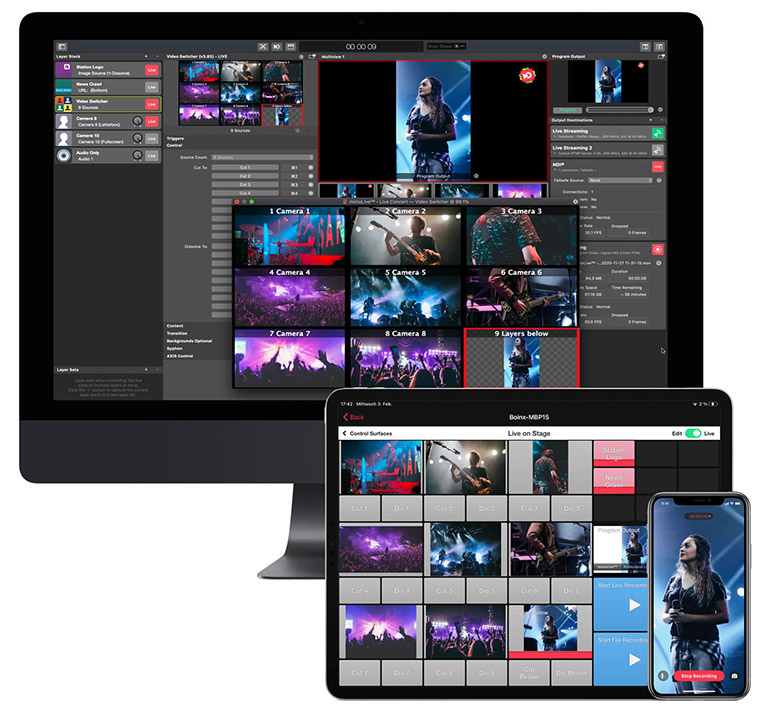























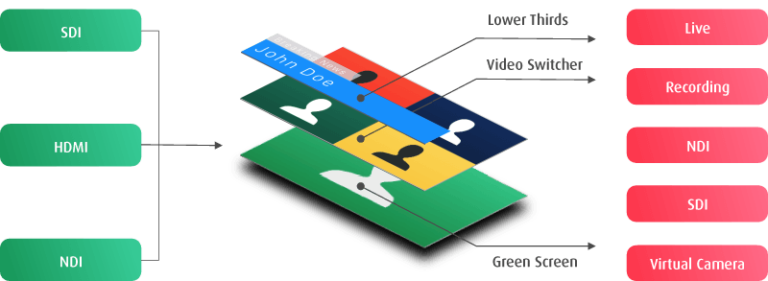






The powerful Layer concept of BoinxTV means that you have
virtually endless possibilities for designing your show template. Feel free to use one of the included templates as a starting point and by simple customization
create a unique signature for your show. Take inspiration from the following, incomplete, gallery of demo reels highlighting technology in BoinxTV.
Computer Graphics
Character Generation
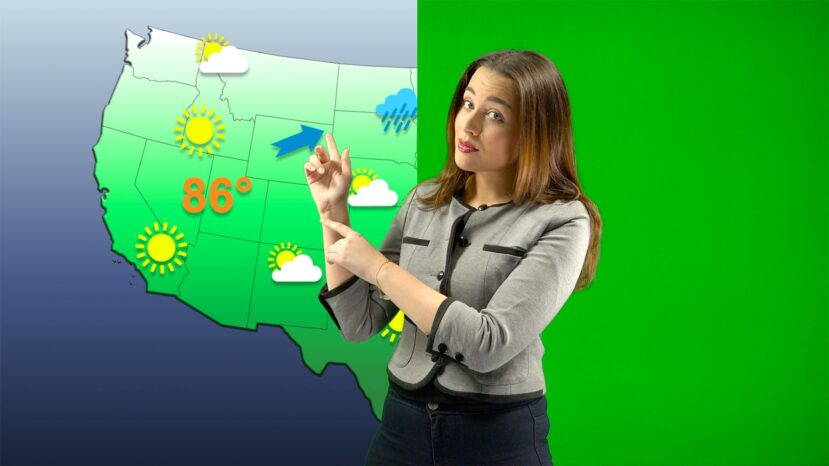
Chroma Keying
Video/Audio Sources1
Playing Video
Video Scaling
Picture-In-Picture
Presenter Screen
Two/Three/Four Up
Photos and Documents
Video Switching3
Network Cameras2
3D Video
Audience Interaction
1 BoinxTV Home only allows the use of one camera.
2 Network cameras are not available in BoinxTV Home.
3 The Video Switcher layer is not available in BoinxTV Home.
Creating Your Own Layers
For example, you might want to create games that can be played on-screen, receive SMS text messages from your audience, display real time depth and position information from a submarine over a live video that sends it or display stock market information.
The real power of BoinxTV lies in the fact that the Layers are actually made with a Mac OS X technology called Quartz Composer. Quartz Composer is an amazing visual environment for creating complex animations which are called Quartz Compositions.
Quartz Composer comes with the Apple Develoer Tools on your Mac OS X DVD. Apple Developer Connection members can download the software from the ADC website
In theory, anyone can create their own BoinxTV Layers. To work with BoinxTV, the Quartz Compositions must contain certain elements so that BoinxTV and the layer can talk to each other and that the layer can display the media files BoinxTV sends to it. The technical documentation is included with BoinxTV under the Help menu.


MichaelThwaite Got to love @BoinxTV All this from a Macbook PRO [link] with no post editing!
Thu 19th of Jan 2012 10:17:35boinxtv Congrats! “@lionelgruenberg: @boinxtv @schacademy @TeamSCHift awesome production today, killer broadcast, great job team!”
Sat 17th of Dec 2011 03:36:26boinxtv “@lionelgruenberg: Gearing up to live stream Our Winter Holiday Assembly. New Media Dir. & Tech team is awesome [link]””
Tue 13th of Dec 2011 02:08:10boinxtv BoinxTV butter cookies! [link]
Sat 10th of Dec 2011 23:04:27boinxtv Kite Surfing World Tour live streamed with BoinxTV [link]
Sun 04th of Dec 2011 08:17:19boinxsoftware Boinx Software on Google+: [link]
Tue 08th of Nov 2011 01:26:59boinxsoftware .@macgasm is a hilarious gadget/tech podcast, produced with BoinxTV. [link]
Fri 04th of Nov 2011 04:24:30MichaelThwaite Got to love @BoinxTV All this from a Macbook PRO [link] with no post editing!
Thu 19th of Jan 2012 10:17:35Students Use BoinxTV to Create, Learn and Tell Stories
Tuesday, January 24, 2012Fryeburg Academy, a day and boarding school in Maine, is an independent preparatory school that prides itself on providing a supportive yet challenging environment for their students. The Academy believes its strong school community fosters learning and growth in all of their students, and its comprehensive co-curriculum cultivates generations of students who graduate well prepared for the future. A recent addition to the school’s curriculum to help further the Academy’s mission is Filmmaking and Broadcast – a course that requires its students to create content for, report, shoot and edit their own news show. After weeks of hard work and behind-the-scenes efforts – made easier through the class’s use of BoinxTV – FATV is broadcast online to the news team’s fellow classmates and faculty. “We could not be doing the news show at all without BoinxTV,” said Mike Dana, a former motion picture cinematographer and creator/teacher of Filmmaking and Broadcast at Fryeburg. “We use one of our editing...
moreHDMI Video Converter for School Use of BoinxTV!
Thursday, October 13, 2011Our resident BoinxTV mastermind, Bastian, recently came across another great piece of equipment to use alongside BoinxTV - the HDMI to Composite /S-Video Converter 3RCA CRT TV CVBS from Portta. Designed to convert HDMI to either Composite Video or S-Video, this converter allows the devices only equipped MiniDisplayPort output to be connected to CRT TV. "We receive many requests from schools for an adapter or converter to use with BoinxTV," says Bastian. "This converter is perfect for school use, as many schools may be using HD devices and Macs that only allow for digital video playout, but are only equipped with analog TV. This takes care of that problem, converting your HDMI to analog, and allowing schools to run BoinxTV at the best possible quality." Bastian outlined the three different scenarios in which schools might use the HDMI converter to run BoinxTV in a handy little diagram - click here to view. Here's a breakdown of each diagram: Case 1: Mac with a DVI-out port: You have your...
moreAppletell Takes a Look at BoinxTV
Monday, October 10, 2011Bill Stiteler from Appletell recently posted a short video review of BoinxTV, calling it a "very intuitive program." He quickly goes through the various aspects of our tv production software, from lower thirds, to layers, logos, and tickers, and suggests that users try one of the many "extremely professional looking," BoinxTV templates. "Really, the only thing you are limited by when using BoinxTV is the video processing power of your computers' video card," says Bill. Watch Bill's video made with BoinxTV here and see just how easy it is to create your very own broadcast!
more